
Docs / Integrations
Verilive Android SDK
A guide to Integrating Liveness Verification into your Android mobile application
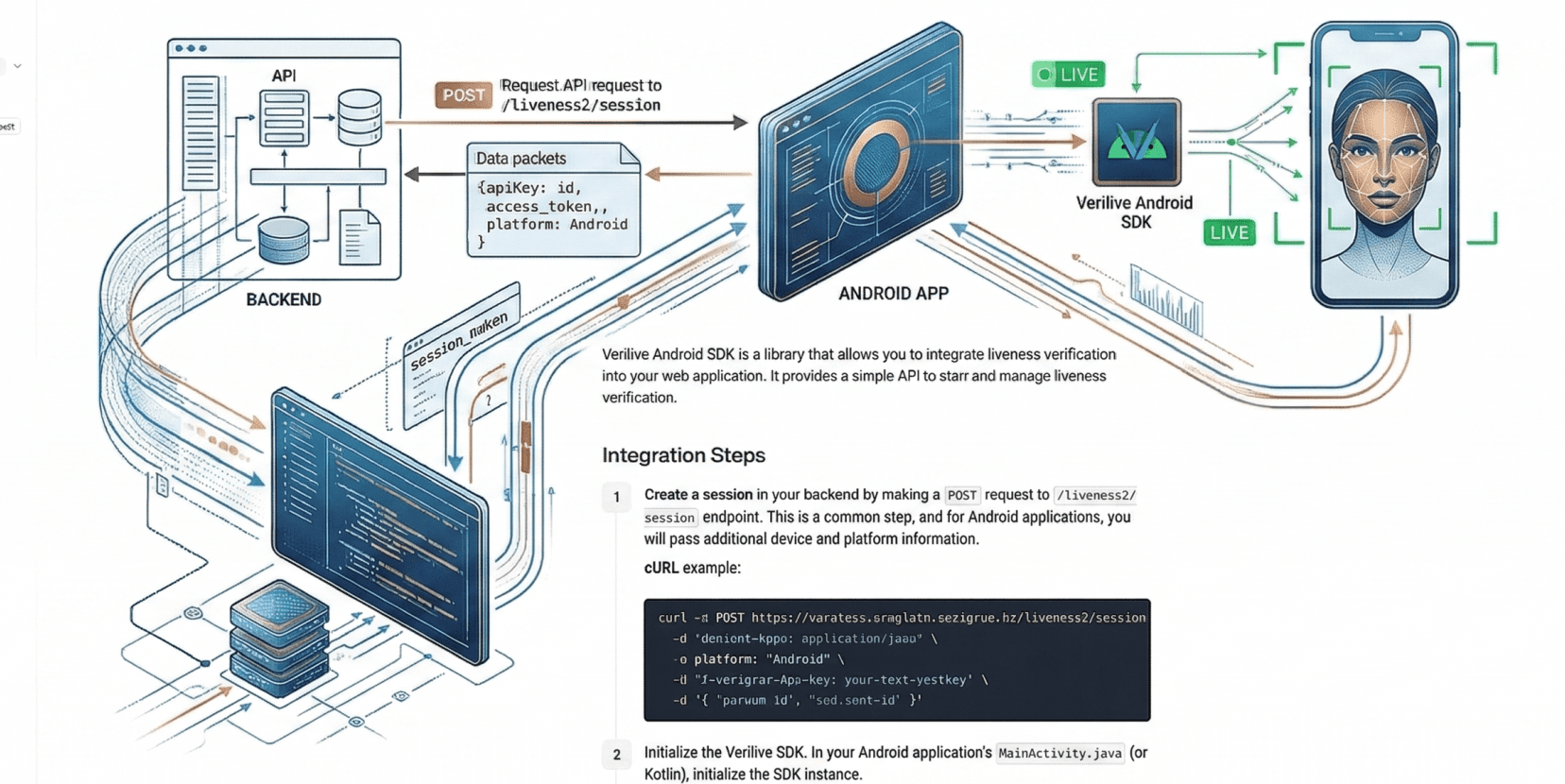
Verilive Android SDK is a library that allows you to integrate liveness verification into your Android application. It provides a simple API based on Android's Activity Result Contract pattern.
Requirements
Min SDK: 24 (Android 7.0)
Compile SDK: 36
Permissions: Camera (
android.permission.CAMERA)Kotlin version recomendation: 2.0+
Integration Steps
SDK Integration
The Verigram team will provide a deploy token that grants access to the Maven repository containing the SDK artifacts.
Add the GitLab Maven repository to the
settings.gradle.ktsfile:dependencyResolutionManagement { repositories { maven { url = uri("https://gitlab.com/api/v4/projects/75704481/packages/maven") credentials(HttpHeaderCredentials::class) { name = "Deploy-Token" value = "<your_deploy_token>" } authentication { create<HttpHeaderAuthentication>("header") } content { includeGroupByRegex("kz.verigram.*") } } google() mavenCentral() } }Add the dependency to the
build.gradle.ktsfile:dependencies { implementation("kz.verigram:verilive-sdk:2.1.0") }Create a session in your backend by making a
POSTrequest to/liveness2/sessionendpoint.#!/usr/bin/env bash API_URL="<API_URL>" API_KEY="<your-api-key>" API_SECRET="<your-api-secret>" FLOW_ID="<your-flow-id>" PERSON_ID="<your-person-id>" ### THE LINES BELOW DOES NOT REQUIRE ANY MODIFICATIONS ### API_PATH="/liveness2/session" TIMESTAMP=$(date +%s) SIGNABLE_STR=$(echo -n -e "$TIMESTAMP$API_PATH") HMAC_DIGEST=$(echo -n $SIGNABLE_STR | openssl sha256 -hmac "$API_SECRET" | cut -d' ' -f2) DATA_JSON=$(cat <<-EOF { "person_id": "$PERSON_ID", "flow_id": "$FLOW_ID" } EOF ) curl -i -X POST "https://$API_URL$API_PATH" \ -H "Content-Type: application/json" \ -H "X-Verigram-Api-Version: 2.0" \ -H "X-Verigram-Api-Key: $API_KEY" \ -H "X-Verigram-Hmac-SHA256: $HMAC_DIGEST" \ -H "X-Verigram-Ts: $TIMESTAMP" \ -d "$DATA_JSON"The endpoint returns a JSON object containing
session_id,access_token,person_id, andflow_id. Pass these values directly to your Android app.Register the Activity Result launcher using
VeriliveLauncherContract:val veriliveLauncher = registerForActivityResult(VeriliveLauncherContract()) { result -> if (result.success) { // Verification succeeded // Fetch the final verdict from your backend using flow_id } else { // Verification failed, cancelled, or errored val errorCode = result.errorCode val errorMessage = result.errorMessage } }Launch the verification with the parameters obtained from your backend:
veriliveLauncher.launch(
    VeriliveParams(
        baseUrl = "",  // empty string for default, or your on-premises URL
        personId = "your-person-id",
        accessToken = "your-access-token",
        flowId = "your-flow-id",
        sessionId = "your-session-id",
    )
)
Handle the result
If
result.success == true, you must fetch the final verdict from your backend using theflow_id. The Android SDK does not provide the liveness verdict directly. This behavior is deliberate; frontend results are not reliable and can be tampered with by an attacker.To get the results of the Flow, make a
GETrequest to the endpoint/flow/{flow_id}/result:curl -X GET https://<API_URL>/flow/{flow-id}/result \ -H 'Content-Type: application/json' \ -H 'X-Verigram-Api-Version: 2.0' \ -H 'X-Verigram-Api-Key: <your-api-key>'
API Reference
VeriliveLauncherContract
An ActivityResultContract<VeriliveParams, VeriliveResult> that launches the liveness verification flow and returns the result.
Usage:
val launcher = registerForActivityResult(VeriliveLauncherContract()) { result ->
    // handle result
}
In Jetpack Compose:
val launcher = rememberLauncherForActivityResult(VeriliveLauncherContract()) { result ->
    // handle result
}
VeriliveParams
Configuration for starting a verification flow. Implements Parcelable.
data class VeriliveParams(
    val baseUrl: String,
    val personId: String,
    val accessToken: String,
    val flowId: String,
    val sessionId: String,
    val attemptsLeft: Int? = null,
) : Parcelable
Fields:
baseUrl: String— API endpoint URL. Use an empty string""for the default endpoint. Set to your on-premises URL if applicable.personId: String— The unique identifier for the individual undergoing verification.accessToken: String— Authentication token obtained from the backend.flowId: String— The flow identifier for the verification session.sessionId: String— A unique ID for the current session/attempt.attemptsLeft: Int?— Optional. Number of retry attempts allowed (default:null).
VeriliveResult
The result returned after the verification flow completes.
data class VeriliveResult(
    val success: Boolean,
    val errorCode: String?,
    val errorMessage: String?,
)
Fields:
success: Boolean—trueif the liveness check passed,falseotherwise (failed, cancelled, or errored).errorCode: String?— Machine-readable error code for programmatic handling. See Error Codes below.nullwhensuccess == true.errorMessage: String?— Human-readable error description.nullwhensuccess == true.
VeriliveActivity
The Activity that hosts the verification UI. You don't need to interact with it directly — use VeriliveLauncherContract instead.
Declared in the SDK's AndroidManifest.xml:
<activity
    android:name=".VeriliveActivity"
    android:exported="false" />
Error Handling
Errors are communicated through VeriliveResult. Use errorCode for programmatic handling and errorMessage for display.
|
| Meaning |
|---|---|---|
|
| Verification succeeded |
|
| Liveness check did not pass |
|
| Backend returned an error |
|
| Network connectivity issue |
|
| User pressed back or cancelled |
|
| Unexpected SDK error |
Error Codes
Error Code | Description |
|---|---|
| The liveness check did not pass. The user's face was not verified as live. |
| The backend returned an error response during the verification process. |
| A network connectivity issue prevented the verification from completing. |
| The user cancelled the verification (back button). |
| An unexpected internal error occurred. |
Example:
val launcher = registerForActivityResult(VeriliveLauncherContract()) { result ->
    if (result.success) {
        // Success — fetch result from backend using flow_id
        Log.d("Verilive", "Verification passed")
    } else {
        when (result.errorCode) {
            "CANCELLED_BY_USER" -> Log.i("Verilive", "User cancelled")
            "LIVENESS_FAILED" -> Log.w("Verilive", "Liveness failed: ${result.errorMessage}")
            else -> Log.e("Verilive", "Error: ${result.errorCode}, ${result.errorMessage}")
        }
    }
}
Retry Handling
The SDK supports two retry modes:
SDK-managed retry (default)
When the liveness check fails and attemptsLeft > 0, the SDK automatically shows a retry screen and handles the retry internally via the server endpoint.
veriliveLauncher.launch(
    VeriliveParams(
        baseUrl = "",
        personId = personId,
        accessToken = accessToken,
        flowId = flowId,
        sessionId = sessionId,
        attemptsLeft = 3,
    )
)
Consumer-managed retry
Set Verilive.onRetry before launching the SDK to handle retry logic yourself. The callback is called on a background thread after the user taps "Retry", so you can make synchronous network calls.
import org.verigram.verilive.Verilive
import org.verigram.verilive.VeriliveRetryResult

Verilive.onRetry = { params ->
    // Request new session credentials from your backend (runs on background thread)
    val response = URL("https://your-api.com/retry-session")
        .openConnection().let { /* ... */ }

    VeriliveRetryResult(
        sessionId = response.sessionId,
        accessToken = response.accessToken,
        attemptsLeft = params.attemptsLeft - 1,
    )
}

veriliveLauncher.launch(VeriliveParams(...))
If the callback returns null or throws an exception, the SDK falls back to server-managed retry.
Permissions
The SDK requires camera access. The permission is declared in the SDK's manifest and will be merged into your app's manifest automatically:
<uses-permission android:name="android.permission.CAMERA" />
<uses-feature android:name="android.hardware.camera" />
The SDK handles camera permission requests internally. If the user denies camera access, the verification cannot proceed.
Usage Examples
Activity Example
class MainActivity : AppCompatActivity() {

    private val veriliveLauncher = registerForActivityResult(
        VeriliveLauncherContract()
    ) { result ->
        if (result.success) {
            Log.d("Verilive", "Verification passed")
            // Fetch result from your backend
        } else {
            Log.w("Verilive", "Failed: ${result.errorCode}, ${result.errorMessage}")
        }
    }

    private fun startVerification(
        personId: String,
        accessToken: String,
        flowId: String,
        sessionId: String,
    ) {
        veriliveLauncher.launch(
            VeriliveParams(
                baseUrl = "",
                personId = personId,
                accessToken = accessToken,
                flowId = flowId,
                sessionId = sessionId,
            )
        )
    }
}
Jetpack Compose Example
@Composable
fun VerificationScreen() {
    val launcher = rememberLauncherForActivityResult(
        VeriliveLauncherContract()
    ) { result ->
        if (result.success) {
            // verification passed
        } else {
            // result.errorCode, result.errorMessage
        }
    }

    Button(onClick = {
        launcher.launch(
            VeriliveParams(
                baseUrl = "",
                personId = "person-id",
                accessToken = "access-token",
                flowId = "flow-id",
                sessionId = "session-id",
                attemptsLeft = 3,
            )
        )
    }) {
        Text("Start Verification")
    }
}
Was this helpful?